App Store Carousel
My team had built an app, and we needed to create content to display in the App Store. My job was to design the carousel slideshow.

My team had built an app, and we needed to create content to display in the App Store. My job was to design the carousel slideshow.
My team had built an app, and we needed to create content to display in the App Store. My job was to design the carousel slideshow.
My team had built an app, and we needed to create content to display in the App Store. My job was to design the carousel slideshow.
My team had built an app, and we needed to create content to display in the App Store. My job was to design the carousel slideshow.
The Process:
Goals:
-
highlight our top features
-
straight to the point
-
appealing & eye-catching
-
aligns with our brand personality
I also viewed this as an advertising opportunity for Say Insurance, as it’s a free way to highlight our app’s best features.

I did some light competitor research by visiting other insurance companies' apps on the App Store. By understanding what they were doing, I was able to explain & defend design decisions that I made when I was presenting to our marketing leadership.
I went through several iterations of copy & design, working closely with the Say Insurance marketing manager.

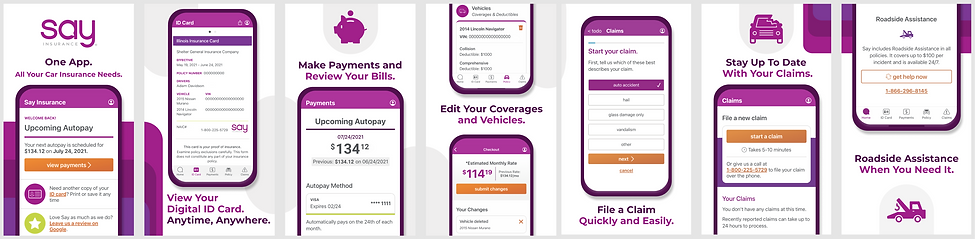
The ultimate design that I landed on incorporated our app’s talking points with a modern & fun design. I really prioritized making a design that continued onto the next page to encourage the user to swipe further.
Working with such microcopy was difficult, but it was a healthy challenge. It forced me to be very intentional about what I was trying to communicate.
It was a very rewarding feeling to see the final designs on the App Store. I’m really proud of how they turned out!

